Millions of professionals have discovered that AI can help them write LinkedIn comments faster. For many, the first tool they reach for is ChatGPT. It is free, powerful, and already part of their daily workflow. But is a general-purpose chatbot really the best approach for LinkedIn engagement? In this detailed comparison, we put ChatGPT head-to-head with LinkedReply, a Chrome extension built specifically for LinkedIn commenting, and examine where each tool excels and where it falls short.
Introduction: ChatGPT and LinkedIn Comments
LinkedIn commenting has become one of the most effective organic growth strategies on the platform. A single well-placed comment on a high-visibility post can earn you hundreds of profile views, new connections, and inbound leads. The problem is that writing thoughtful, personalized comments at scale takes an enormous amount of time.
Enter AI. Since late 2022, professionals have been experimenting with ChatGPT to accelerate their commenting workflow. The logic is simple: paste the post text into ChatGPT, ask for a comment, copy the output, and paste it back into LinkedIn. It works, technically. But as anyone who has tried this at scale knows, the process is clunky, the output is often generic, and the risk of sounding like a robot is real.
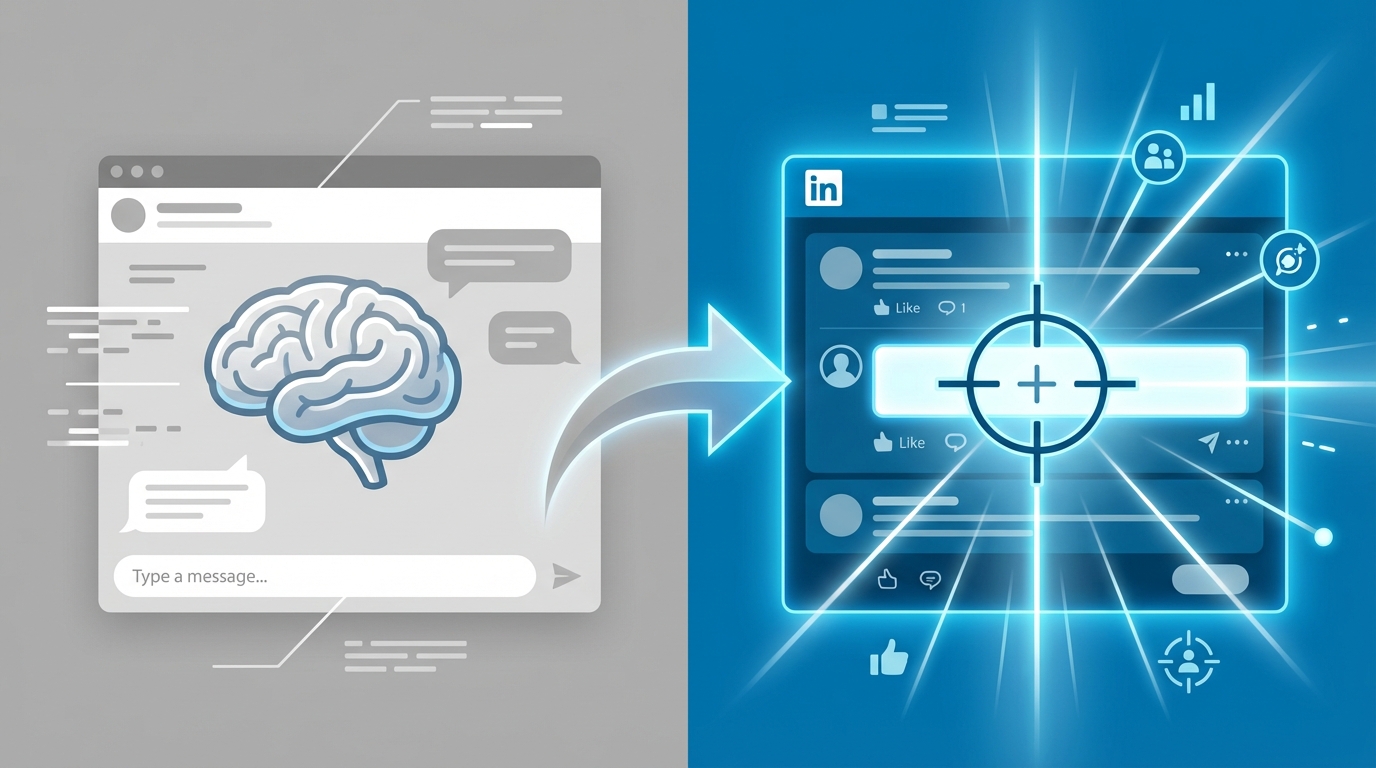
LinkedReply takes a fundamentally different approach. Instead of being a general tool that you adapt for LinkedIn, it is a purpose-built Chrome extension that lives inside your LinkedIn feed. It reads posts automatically, understands your writing voice, and generates contextually relevant comments without you ever leaving the page.
This article provides an honest, thorough comparison so you can decide which tool deserves a place in your LinkedIn workflow.
How People Currently Use ChatGPT for LinkedIn Comments
Before we compare the two tools, it helps to understand the typical ChatGPT commenting workflow that has emerged organically among LinkedIn power users:
- Find a post worth commenting on. The user scrolls through their LinkedIn feed and identifies a post from a target connection, industry leader, or prospect.
- Copy the post text. They highlight the post content, right-click, and copy it to their clipboard. If the post includes an image, video, or article link, that context is lost.
- Switch to ChatGPT. They open a new browser tab (or the ChatGPT app) and navigate to an existing conversation or start a new one.
- Write a prompt. Something like: "Write a professional LinkedIn comment responding to this post: [pasted text]. Keep it under 100 words, sound natural, and add value."
- Review and edit the output. ChatGPT generates a response. The user reads it, often rewrites parts that sound too formal or generic, and adjusts the tone.
- Copy and paste back to LinkedIn. They copy the final comment, switch back to the LinkedIn tab, click into the comment field, paste, and submit.
This six-step process works for an occasional comment. But if you are trying to comment on 10, 20, or 50 posts per day as part of a deliberate engagement strategy, the friction adds up fast. Each comment takes 2 to 4 minutes instead of the 20 to 30 seconds it takes with a dedicated tool. Over a week, that is hours of lost productivity.
Some users have gotten more creative, building custom GPTs with persistent instructions or using the ChatGPT API with automation tools. These approaches reduce some friction but introduce complexity that most professionals do not want to manage.
What Are the Limitations of ChatGPT for LinkedIn?
ChatGPT is an impressive general-purpose AI, but LinkedIn commenting exposes six specific weaknesses that are difficult to work around.
No Browser Integration
ChatGPT does not integrate with LinkedIn. There is no Chrome extension, no sidebar, no overlay. Every interaction requires you to leave LinkedIn, switch contexts, and return. This tab-switching workflow breaks your scrolling rhythm, adds cognitive overhead, and makes it nearly impossible to maintain the kind of consistent commenting cadence that drives real LinkedIn growth.
Some third-party tools have attempted to bring ChatGPT into the browser, but these are generic wrappers that do not understand LinkedIn's post structure, comment formatting, or engagement context.
No Post Context Awareness
When you paste post text into ChatGPT, you lose critical context. The AI does not see the author's name, job title, company, or connection relationship. It does not know if the post includes an image, a carousel, a poll, or a link. It has no awareness of existing comments, so it might repeat a point someone else already made.
This missing context shows up in the output. ChatGPT comments tend to be vaguely supportive rather than specifically relevant. They address the topic in general terms rather than engaging with the particular angle the author took. Experienced LinkedIn users can spot this disconnect immediately.
No Voice Personalization
ChatGPT has a default writing style: polished, slightly formal, and noticeably consistent. Even with careful prompting, it is difficult to get ChatGPT to consistently match your personal voice. The result is that your comments start sounding different from your posts, your messages, and your natural communication style.
You can try adding instructions like "write in a casual, direct tone" or "use short sentences," but these instructions need to be repeated every session. There is no persistent voice model that learns from your existing writing and applies those patterns automatically.
No Anti-AI Detection
ChatGPT generates text that follows predictable patterns: certain transition phrases, specific sentence structures, and characteristic vocabulary choices. AI detection tools like GPTZero, Originality.ai, and even LinkedIn's own internal systems can flag these patterns. More importantly, human readers who see dozens of AI comments daily are getting very good at spotting them.
Common ChatGPT tells include: starting with "Great post!" or "This is a fantastic insight," using phrases like "couldn't agree more," structuring responses with numbered lists in casual conversation, and ending with a question that feels forced. If your comments consistently exhibit these patterns, your engagement loses authenticity and credibility. For more on this topic, see our analysis of whether people can tell when AI writes LinkedIn comments.
Generic, One-Size-Fits-All Output
ChatGPT does not know what type of post you are commenting on. A job-change announcement, a thought-leadership essay, a company milestone, a personal story, and a controversial hot take all require fundamentally different commenting approaches. ChatGPT treats them all the same unless you explicitly instruct it otherwise in your prompt.
This one-size-fits-all tendency produces comments that are technically appropriate but never exceptional. They do not congratulate with the right warmth, challenge with the right tact, or add value with the right specificity. In a comment section full of AI-generated responses, generic comments simply disappear.
No Promotion Intelligence
For professionals using LinkedIn commenting as a business development strategy, the goal is not just engagement -- it is strategic visibility. You want your comments to subtly showcase your expertise, reference your work, or create curiosity about your products and services. ChatGPT has no concept of your business, your offerings, or your promotional goals. It cannot weave in a natural mention of your SaaS product, consulting service, or agency because it does not know they exist.
How Does LinkedReply Solve Every ChatGPT Limitation?
LinkedReply was designed from the ground up to address exactly these shortcomings. Here is how each limitation maps to a specific feature:
No browser integration? LinkedReply is a Chrome extension that injects directly into your LinkedIn feed. You never leave the page. A small button appears near each post's comment field. One click generates a comment. One more click posts it. The entire interaction takes seconds, not minutes.
No post context? LinkedReply reads the full post content, the author's profile information, the post type (article, image, poll, celebration, etc.), and existing comments. This context feeds directly into the AI model, producing responses that reference specific points the author made and engage with the actual substance of the conversation.
No voice personalization? LinkedReply's Write Like Me feature analyzes samples of your existing writing to build a persistent voice model. Once configured, every generated comment reflects your natural vocabulary, sentence length preferences, and communication style. It is the difference between a comment that sounds like AI and one that sounds like you.
No anti-AI detection? LinkedReply includes built-in Anti-AI Detection that actively varies sentence structure, vocabulary selection, and rhetorical patterns. The system avoids the common AI tells that plague ChatGPT output, making your comments resistant to both automated detection tools and human suspicion.
Generic output? LinkedReply offers over 50 comment types tailored to different post categories and engagement goals. Whether you are congratulating someone on a promotion, respectfully disagreeing with an industry opinion, or sharing a relevant personal experience, there is a specialized prompt template that produces the right tone and structure.
No promotion intelligence? LinkedReply's Business Profile + Smart Promotion feature lets you define your business, target audience, and offerings. The AI then weaves contextually appropriate mentions into roughly 20% of your comments. You choose from three promotion styles -- subtle, balanced, or direct -- giving you full control over how aggressively you self-promote. Learn more about how LinkedReply works.
Feature Comparison Table: LinkedReply vs ChatGPT
| Feature | LinkedReply | ChatGPT |
|---|---|---|
| Chrome extension | Yes, lives inside LinkedIn | No, separate tab required |
| Post context awareness | Full (text, author, post type, existing comments) | Partial (only what you manually paste) |
| Voice personalization | Write Like Me builds a persistent voice model | Requires manual prompting each session |
| Anti-AI detection | Built-in, automatic | None |
| Comment types | 50+ specialized types | Generic unless you specify in the prompt |
| Post type detection | Automatic (article, poll, image, celebration, etc.) | None |
| Business promotion | Smart Promotion with 3 intensity levels | Not available |
| Connection messages | Built-in Connection Message Generator | Requires separate prompting |
| Speed per comment | 5-10 seconds | 2-4 minutes |
| Workflow disruption | None (stays on LinkedIn) | High (constant tab switching) |
| Learning curve | Minimal (install and click) | Moderate (requires prompt engineering) |
| Pricing | Free tier (10 comments), Pro from $49/mo | Free tier available, Plus at $20/mo |
Comment Quality: ChatGPT vs LinkedReply Side by Side
Numbers and feature lists only tell part of the story. Let us look at what each tool actually produces when given the same LinkedIn post to respond to.
Example 1: Thought Leadership Post
Post: "After 15 years in B2B sales, I have learned that the best salespeople do not sell. They listen, diagnose, and prescribe. The era of pushy outreach is over. Buyers are smarter, more informed, and have zero patience for generic pitches. Adapt or get left behind."
ChatGPT output (using a standard prompt):
"Great insights! I completely agree that listening is key in sales. The shift from selling to consulting is something every sales professional should embrace. Thanks for sharing your perspective on this important topic."
LinkedReply output (using Write Like Me + Insightful comment type):
"The diagnose-and-prescribe framing is spot on. I have seen the same pattern in my own pipeline -- the deals where I spent the first call just asking questions consistently close faster than the ones where I led with a deck. Curious if you have noticed a difference in deal velocity between inbound leads who already understand the problem versus outbound prospects who need more education on the diagnosis side."
The difference is immediately apparent. ChatGPT produces a polite but forgettable agreement. LinkedReply generates a comment that references a specific claim in the post ("diagnose and prescribe"), adds a personal experience, and ends with a genuine question that invites further conversation. The ChatGPT version could apply to any sales post. The LinkedReply version could only apply to this one.
Example 2: Job Change Announcement
Post: "Thrilled to announce that I have joined Acme Corp as VP of Marketing! After an incredible 5 years at TechCo, I am ready for this new chapter. Grateful for the support of my network."
ChatGPT output:
"Congratulations on the new role! Wishing you all the best at Acme Corp. Your experience at TechCo will definitely serve you well in this new position."
LinkedReply output (using Congratulations comment type):
"Huge congrats on the move to Acme Corp. After everything you built at TechCo over those 5 years -- especially the rebrand that put them on the map -- Acme is lucky to have you leading their marketing. Looking forward to seeing what you do with their story."
LinkedReply's awareness of the post details (company names, tenure, role) enables a comment that feels genuinely personal. The ChatGPT version is perfectly pleasant but interchangeable with any other congratulations comment on the thread.
Example 3: Controversial Industry Take
Post: "Hot take: remote work is killing junior employees' careers. They miss out on mentorship, spontaneous learning, and the relationship-building that happens in person. We need to stop pretending that Zoom is an adequate substitute for real human connection."
ChatGPT output:
"This is a thought-provoking perspective. While remote work offers flexibility, there are definitely challenges for junior employees. Finding the right balance between remote and in-person work seems to be the key."
LinkedReply output (using Constructive Disagreement comment type):
"I see this argument come up a lot, but I think it conflates two separate problems. The issue is not remote work -- it is that most companies never built intentional mentorship programs in the first place. They relied on proximity as a substitute for structure. Remote forced the gap into the open. The companies that designed actual onboarding and mentorship systems are reporting equal or better retention for junior hires regardless of location."
For controversial posts, the difference is even more stark. ChatGPT defaults to a safe, both-sides response. LinkedReply can generate a substantive, respectful counterpoint that adds real value to the discussion and positions you as a thoughtful voice in the conversation.
The Business Profile Advantage ChatGPT Cannot Match
For professionals who use LinkedIn commenting as a lead generation or brand-building strategy, LinkedReply's Business Profile + Smart Promotion feature is a game changer that ChatGPT simply cannot replicate.
Here is how it works. You fill in your Business Profile with details about your company, your products or services, your target audience, and your unique value proposition. LinkedReply's AI then uses this information to identify opportunities where a natural mention of your business makes sense.
Not every comment includes a promotion. Smart Promotion activates on roughly 20% of comments, and only when the post topic aligns with your business offering. You control the intensity with three promotion styles:
- Subtle: A passing reference or relevant anecdote that hints at your expertise without naming your company directly.
- Balanced: A brief mention of your product or service integrated naturally into an otherwise value-driven comment.
- Direct: A clear call-to-action or product mention when the post topic creates an obvious opening.
Consider this example. You sell a project management SaaS and you see a post about the chaos of managing remote teams. With Smart Promotion set to "balanced," LinkedReply might generate:
"The async communication challenge you describe is exactly why we built task-level commenting into our project management platform. Teams were losing context switching between Slack, email, and their PM tool. Keeping the conversation attached to the work item cut our customers' meeting time by 30%. Would love to hear how others are solving the same problem."
This kind of contextual self-promotion is nearly impossible with ChatGPT. You would need to include your business details in every prompt, instruct the AI on when and how to mention your product, and hope the output sounds natural. Even then, ChatGPT has no concept of promotion frequency or intensity control.
When Does ChatGPT Make Sense for LinkedIn?
This comparison would not be honest without acknowledging the scenarios where ChatGPT is a perfectly reasonable choice:
- Occasional, one-off comments. If you comment on LinkedIn once or twice a week, the tab-switching workflow is a mild inconvenience, not a productivity drain. The lack of voice personalization matters less when the volume is low.
- Long-form content creation. ChatGPT excels at helping you draft LinkedIn posts, articles, and newsletters. For content creation (as opposed to commenting), its general-purpose capabilities are a strength, not a weakness.
- Research and brainstorming. Need to understand an industry trend before commenting? ChatGPT is excellent for quick research, summarization, and idea generation that informs your commenting strategy.
- Budget constraints. ChatGPT's free tier has no usage limits for conversation (though it has model restrictions). LinkedReply's free tier includes 10 comments per month, with paid plans starting at $49. If you are testing AI commenting for the first time and want to experiment before committing, ChatGPT costs nothing to try.
The key distinction is volume and intent. If you are commenting occasionally with no business goal, ChatGPT works fine. If you are commenting consistently as part of a deliberate growth, sales, or branding strategy, the specialized tooling in LinkedReply will produce meaningfully better results in a fraction of the time.
Final Verdict: Which Should You Choose?
The answer depends on how seriously you take LinkedIn commenting as a professional strategy.
Choose ChatGPT if: you comment on LinkedIn casually, a few times per week, with no particular business objective. You are already paying for ChatGPT Plus for other purposes, and the tab-switching workflow does not bother you. You primarily need help overcoming writer's block rather than optimizing for engagement or lead generation.
Choose LinkedReply if: you comment on LinkedIn daily as part of a growth, sales, or personal branding strategy. You want comments that sound like you (not like AI), you want to promote your business naturally through comments, and you value the ability to generate high-quality comments in seconds without leaving your feed. The combination of Write Like Me, Smart Promotion, Anti-AI Detection, and 50+ comment types creates a commenting experience that a general-purpose chatbot simply cannot match.
Many LinkedReply users actually keep ChatGPT in their toolkit for other tasks -- drafting posts, researching topics, brainstorming ideas -- while using LinkedReply exclusively for commenting. The tools are not mutually exclusive; they serve different purposes.
If you are ready to see the difference for yourself, LinkedReply offers a free tier with 10 comments per month. Install the extension, try it on a few posts, and compare the output to what you have been getting from ChatGPT. For most users, the difference is immediately obvious.
For a broader look at how LinkedReply compares to other LinkedIn tools, check out our review of the best LinkedIn comment generators.