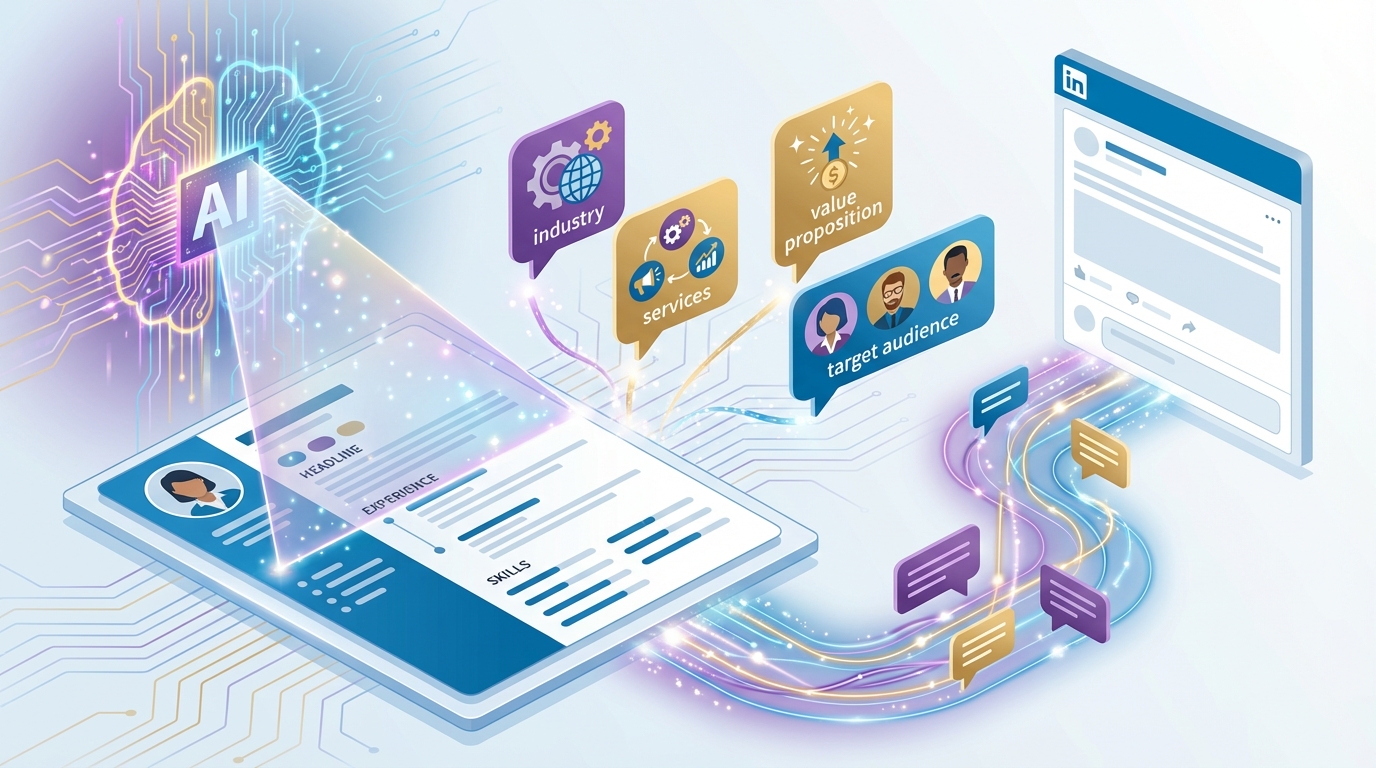
Most AI commenting tools produce the same generic responses regardless of who is using them. A cybersecurity consultant gets the same style of comment as a real estate agent. A SaaS founder gets the same phrasing as a career coach. The comments are technically correct but contextually empty. They say nothing about your expertise, your business, or why anyone should care about your perspective. The Business Profile feature changes this by giving AI the context it needs to write comments that sound like they come from you and your business, not from a generic AI.
The AI Commenting Revolution Goes Beyond Generic Responses
The first generation of AI commenting tools focused on a simple problem: generate a comment that responds to a LinkedIn post. They solved that problem. You could paste a post into ChatGPT, or use a Chrome extension, and get a comment that was grammatically correct and topically relevant.
But these tools shared a fundamental limitation. They knew nothing about you. Every comment they generated could have come from anyone. There was no professional context, no business relevance, no expertise signal. The comments were polite responses to posts, but they did nothing to build your authority, promote your business, or differentiate your perspective.
Consider two comments on a post about customer retention strategies:
Comment A: “Great insights on retention. Keeping customers is always cheaper than acquiring new ones. Thanks for sharing these strategies.”
Comment B: “This aligns with what we see in our retention data. The cohort analysis approach you describe in point 3 is especially powerful. We implemented something similar for a D2C brand last quarter and saw their 90-day retention rate increase from 34% to 51%. The key variable was the timing of the second touchpoint, moving it from day 14 to day 7 made a measurable difference.”
Comment A could come from anyone. Comment B clearly comes from someone who works in retention strategy. It adds specific value, demonstrates expertise, and makes the reader curious about who wrote it. That curiosity drives profile visits, connection requests, and ultimately business conversations.
Comment B is what becomes possible when AI knows about your business.
What Is a Business Profile in LinkedReply?
The Business Profile is a dedicated section within LinkedReply where you provide detailed information about your professional expertise and business offerings. Think of it as a brief that tells the AI who you are, what you sell, who you sell it to, and what makes you credible.
It is separate from your LinkedIn profile. While your LinkedIn headline and summary are public-facing and optimized for search, your Business Profile is a private document that informs how the AI generates your comments. You can be more specific, more detailed, and more strategic in your Business Profile than you might be on your public LinkedIn page.
The Business Profile contains several key fields:
- Expertise description: A detailed narrative of what you do and what you know. This is the primary input the AI uses to determine topical relevance.
- Products and services: Specific offerings you want the AI to reference when promoting. Each can include a brief description and key differentiator.
- Target audience: Who you are trying to reach. This helps the AI prioritize which posts to promote on based on the likely audience of the post author.
- Key results and proof points: Measurable outcomes from your work. These get woven into comments as credibility signals.
- Authority topics: Five to ten specific subjects where you have genuine expertise. These are the topics that trigger promotion consideration.
- Resources and links: Free tools, guides, or content that provide value. The AI can offer these in comments as helpful resources rather than sales pitches.
Filling out the Business Profile takes about 15 minutes. The impact on comment quality is immediate and substantial.
How Does AI Use Your Business Profile to Generate Comments?
The AI processes your Business Profile through several layers when generating each comment.
Topic extraction. First, the AI reads the LinkedIn post and extracts its core topics and themes. A post about “scaling a sales team from 5 to 50 reps” might be tagged with topics like sales management, hiring, onboarding, sales operations, and team scaling.
Profile matching. These topics are compared against your Business Profile. If you listed “sales team onboarding” and “revenue operations” as authority topics, and your expertise description mentions helping companies scale their sales organizations, the AI identifies a strong match.
Relevance scoring. The match strength is quantified on a 0-to-1 scale. This score determines whether promotion is appropriate and which style should be used. A score of 0.7 (strong relevance) might trigger a balanced promotion, while a score of 0.4 (moderate relevance) would only allow subtle promotion.
Content integration. When promotion is triggered, the AI selects the most relevant elements from your profile to incorporate. It might use a specific result from your proof points, a reference to your expertise area, or mention a relevant resource. It does not dump your entire profile into the comment. It selects the one or two elements that fit most naturally.
Natural language generation. The selected profile elements are woven into the comment as part of the narrative flow. The AI generates the comment so that the promotional elements feel like they belong rather than being appended as an afterthought.
This pipeline runs in seconds. The result is a comment that contributes genuine insight to the conversation while naturally positioning you as an expert in the relevant area.
Business Profile Setup: What Information Matters Most
Not all Business Profile information is equally important. Here is how to prioritize your setup for maximum impact.
Critical: Expertise description. This is the most impactful field. Write it as if you were explaining your work to a smart professional who knows nothing about your company. Be specific about your domain, your methods, and your results. Poor example: “I help companies with marketing.” Strong example: “I design content distribution strategies for B2B SaaS companies in the $5M-$50M ARR range, focusing on organic channels (LinkedIn, SEO, community) that reduce dependency on paid acquisition. My approach combines systematic content repurposing with strategic engagement programs.”
Critical: Key results. Numbers drive credibility. Include three to five specific, quantified results from your work. “Increased organic traffic by 340% in 6 months” is infinitely more useful to the AI than “improved marketing results.” These results appear in your promotional comments as proof points that make your expertise claims believable.
Important: Authority topics. List five to ten specific topics, not broad categories. “Content marketing” is too broad. “LinkedIn content distribution for B2B SaaS” is specific enough for the AI to determine genuine relevance. The more specific your topics, the more precisely the AI targets its promotion.
Important: Target audience. Define who you want to reach. Include job titles, company types, industries, and company sizes. This helps the AI evaluate whether a post’s audience overlaps with your target market.
Helpful: Products and services. List your specific offerings with brief descriptions. The AI references these when the post topic directly relates to a specific product rather than your general expertise.
Helpful: Free resources. If you have a free tool, checklist, template, or guide, include it. The AI can offer these in comments as value-adds, which is one of the most effective forms of non-spammy promotion because it provides immediate utility to the reader.
A well-completed Business Profile typically contains 300 to 500 words of information across all fields. This gives the AI enough material to create varied promotional comments without repeating itself.
Before and After: Comments With and Without Business Profile
The difference between comments generated with and without a Business Profile is stark. Here are real-world examples across different post types.
Post about marketing automation trends
Without Business Profile:
“Interesting analysis of the marketing automation landscape. I agree that personalization is becoming the key differentiator. The tools that can deliver truly personalized experiences at scale will win.”
With Business Profile (for a marketing automation consultant):
“Point 4 about workflow complexity is where most implementations stall. In the last 18 months, I have helped twelve mid-market companies migrate from basic email sequences to full lifecycle automation. The pattern is consistent: companies try to automate everything at once and end up with a system so complex that nobody maintains it. The better approach is to automate the three highest-impact workflows first (typically onboarding, re-engagement, and expansion), prove ROI, then expand. Simpler systems with 3 workflows outperform complex ones with 20 workflows almost every time.”
The first comment is forgettable. The second demonstrates specific expertise, shares a concrete methodology, and makes the reader want to know more about this consultant.
Post about remote team management challenges
Without Business Profile:
“Managing remote teams is definitely challenging. Clear communication and regular check-ins are essential. Thanks for sharing these insights.”
With Business Profile (for a remote team productivity tool):
“The async communication challenge in point 2 is where remote teams waste the most time. We analyzed communication patterns across 150 remote teams and found that the average knowledge worker loses 2.5 hours daily to unnecessary synchronous communication that could be async. The fix is not more tools but clearer protocols: define which communication types require real-time response and which can wait 4 hours. Teams that implement this simple classification see a 30% reduction in meeting time within the first month.”
Again, the Business Profile version cites specific data from relevant work, provides actionable advice, and positions the commenter as an authority on the topic.
Three Promotion Styles Explained
The Business Profile powers three distinct promotion styles, each appropriate for different levels of topical relevance.
Subtle: Weaving in expertise. The subtle style draws on your expertise description and key results to demonstrate domain knowledge without naming your company or product. The reader infers your expertise from the specificity and depth of your comment. This style works for posts with moderate relevance to your business where a direct mention would feel forced.
Balanced: Adding value with a reference. The balanced style includes everything in the subtle approach plus a brief, contextual mention of your company, product, or a specific resource. The mention is positioned as additional context rather than a pitch. This works for posts with strong relevance where naming your business adds useful information to the conversation.
Direct: Promoting when appropriate. The direct style includes an explicit mention of your offering with a clear reason why it is relevant. This is reserved for posts where the author is asking for recommendations, discussing your exact product category, or describing a problem your business specifically solves. Direct promotion on these posts is expected and welcome.
You control which styles are enabled and how the AI distributes across them. Some users prefer only subtle and balanced. Others enable all three. The AI respects your settings and only uses direct promotion on posts with the highest relevance scores.
For a deeper exploration with more examples, see our complete guide to Smart Promotion in LinkedIn comments.
Industry Examples: How Different Businesses Use the Feature
The Business Profile adapts to any industry. Here is how different types of businesses configure and benefit from the feature.
B2B SaaS company. The profile emphasizes the specific problem the software solves, key metrics like time saved or revenue generated, and the target user persona. When the AI finds posts about the problem space, it generates comments that reference the company’s expertise and occasionally mention the product as a solution. A project management tool company might comment on posts about team productivity with specific insights about workflow optimization, naturally referencing their platform when post authors ask for recommendations.
Professional services firm. The profile highlights specific methodologies, client industries, and measurable outcomes. A management consulting firm specializing in digital transformation uses the profile to ensure every comment on relevant posts demonstrates consulting expertise and references specific engagement results without naming clients.
E-commerce brand. The profile focuses on the brand story, target customer demographics, and product differentiators. A sustainable fashion brand uses the feature to comment on posts about sustainability, supply chain transparency, and conscious consumerism, with natural references to their approach and materials.
Solo consultant or freelancer. The profile concentrates on personal expertise, niche specialization, and individual results. A freelance data analyst uses the feature to comment on posts about data strategy, analytics, and business intelligence, weaving in references to specific projects and outcomes that demonstrate their individual capability.
Agency. The profile highlights the agency’s methodology, client results across multiple engagements, and areas of specialization. A growth marketing agency uses the feature to comment on posts about growth strategy, paid media, and conversion optimization, referencing aggregated results across their client portfolio.
The common thread is specificity. Generic business descriptions produce generic comments. Detailed, specific profiles produce comments that stand out.
The Safety System: When AI Chooses NOT to Promote
Knowing when not to promote is as important as knowing how. The safety system evaluates every post for conditions where promotion would be inappropriate, regardless of topical relevance.
Sensitive content detection. Posts about personal hardships, health challenges, layoffs, discrimination, or tragedies are flagged automatically. No promotion is included in comments on these posts, even if your business is highly relevant to the topic. A career coaching service, for instance, will not see promotion triggered on a post about someone being laid off, even though career coaching is directly relevant. The emotional context overrides the topical match.
Negative sentiment posts. Posts expressing frustration, anger, or disappointment about a product category or industry practice are handled with care. The AI may comment with empathy and insight but avoids promotional mentions that could appear exploitative of the negative situation.
Competitive contexts. When a post is about or by a direct competitor, the AI treads carefully. Promotional comments on a competitor’s post can appear petty or aggressive. The safety system reduces or eliminates promotion in these contexts.
Frequency overrides. Even if multiple consecutive posts are highly relevant to your business, the system enforces spacing between promotional comments. Back-to-back promotional comments look like a pattern and trigger both human skepticism and platform spam detection.
Low-engagement posts. Promoting on a post with minimal engagement can look disproportionate. The AI considers post engagement levels when making promotion decisions, favoring posts that already have active comment sections.
These guardrails run automatically on every comment. You do not need to make judgment calls about when to promote and when not to. The system handles the complexity so your comments always maintain professional appropriateness.
The Business Profile and Smart Promotion features are available on the Business and Agency plans. Visit our pricing page to find the right plan for your needs, or start with the AI comment generator on the free tier to experience the core technology before upgrading.
The takeaway. Generic AI comments are a commodity. Every tool can generate a polite, topically relevant response. What sets you apart is context: your expertise, your results, your unique perspective. The Business Profile gives AI the raw material to turn generic comments into expert-level contributions that build your authority and promote your business at the same time.