Cold outreach is dying. The average response rate for cold LinkedIn InMails has dropped below 5 percent, and cold email reply rates hover around 1 to 2 percent. Meanwhile, sales professionals who engage with prospects' LinkedIn content before reaching out see connection acceptance rates above 60 percent and meeting-book rates 3x higher than cold approaches. The shift from cold outreach to warm engagement through strategic commenting is not a trend; it is the new baseline for B2B sales success. This guide shows you exactly how to build and execute a LinkedIn commenting strategy that fills your pipeline.
How Does LinkedIn Commenting Drive Sales Pipeline?
To understand why commenting works so well for sales, you need to understand LinkedIn's visibility mechanics and human psychology.
The Visibility Engine
When you comment on someone's LinkedIn post, several things happen simultaneously:
- The post author sees your name and headline. LinkedIn sends a notification that you commented, putting your name and professional headline directly in front of your prospect.
- Your comment appears in their network's feed. LinkedIn's algorithm surfaces commented-on posts to the commenter's network, expanding your visibility to people who share connections with both you and the prospect.
- Other engaged readers see you. Everyone who reads the post and its comments sees your name, headline, and contribution. If the post gains traction, hundreds or thousands of professionals may see your comment.
- Your profile gets visited. High-quality comments drive curiosity. People click through to see who made the insightful observation, generating profile views that you can then track and follow up on.
The Psychology of Familiarity
The psychological principle at work is the mere exposure effect: people develop a preference for things they encounter repeatedly. When a prospect sees your name and insightful comments three, four, five times in their feed and notifications, a subconscious familiarity builds. By the time you send a connection request or direct message, you are not a stranger. You are "that person who always has interesting things to say."
Research on social selling from LinkedIn's own Sales Solutions team shows that buyers are 5x more likely to engage with a sales professional who provides relevant insights than one who simply pitches. Commenting is the highest-leverage way to deliver those insights consistently.
The Pipeline Funnel
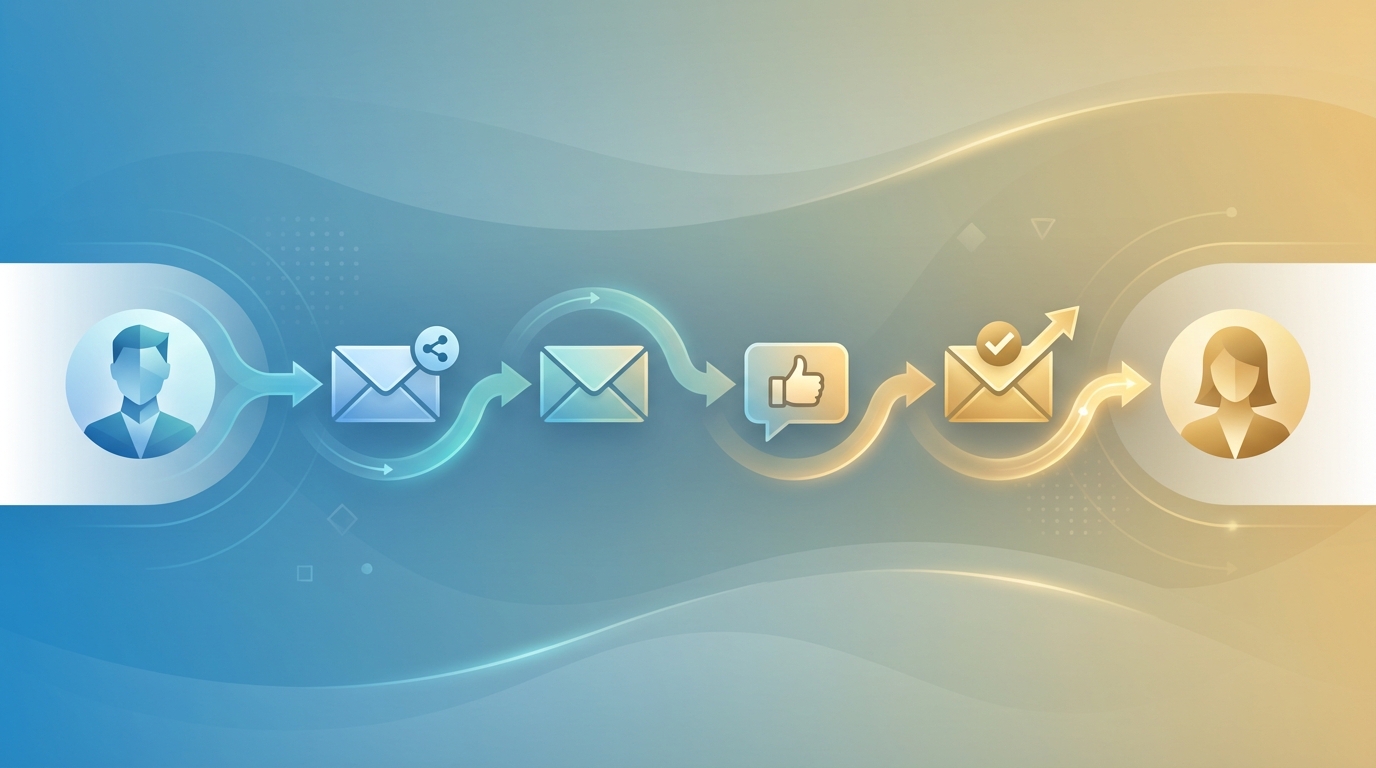
Here is how commenting translates into pipeline, expressed as a typical conversion flow for a B2B sales rep:
- Comment on prospect's content (3 to 5 touchpoints over 1 to 2 weeks)
- Prospect views your profile (happens in 40 to 60 percent of cases after quality comments)
- Send personalized connection request referencing your comment interaction (65 to 80 percent acceptance rate versus 20 to 30 percent for cold)
- Continue engaging with their content as a connection (deepens relationship)
- Transition to direct message with a value-first approach (35 to 50 percent response rate)
- Book meeting through the warm relationship you have built
The entire process takes 2 to 4 weeks per prospect, but you can run it in parallel with dozens of prospects simultaneously. This is where AI comment tools like LinkedReply become essential: they compress the time investment per prospect from 5 to 10 minutes per comment down to 30 seconds, letting you maintain engagement across a much larger set of targets.
The Warm-Up Strategy: Comment Before You Pitch
The warm-up strategy is a structured approach to building familiarity before any sales conversation. It works in three phases.
Phase 1: Visibility (Week 1)
Your goal in week one is simply to get on the prospect's radar. Comment on 3 to 5 of their posts over 5 to 7 days. These comments should be purely value-adding with zero promotional intent. Share relevant insights, ask thoughtful questions, or add a complementary perspective.
At this stage, you are planting seeds. The prospect may not consciously notice you yet, but their brain is registering your name and associating it with their content.
Phase 2: Recognition (Week 2)
In week two, increase the specificity and depth of your comments. Reference earlier posts the prospect has written, showing that you are a consistent reader and not just a one-time commenter. If they reply to one of your comments, engage in the thread, this is where real relationship momentum builds.
By the end of week two, most prospects will have viewed your profile at least once and may recognize your name. This is the warm-up effect in action.
Phase 3: Connection (Week 3)
Now send your connection request. Reference your comment interactions directly:
"Hi Sarah, I have really enjoyed engaging with your posts on SaaS retention strategies, especially your point about the 90-day onboarding window. Would love to connect and continue the conversation."
This request is warm, specific, and references a shared interaction. It converts at 65 to 80 percent because you are not a stranger asking for access; you are a familiar voice requesting a deeper connection.
What to Comment On: Identifying High-Value Prospects' Posts
Not every prospect post deserves your time. The highest-ROI commenting strategy targets specific types of content that maximize both visibility and relevance.
Priority 1: Posts About Pain Points You Solve
When a prospect posts about a challenge, frustration, or question that relates to your product or service, this is your highest-value engagement opportunity. Your comment can demonstrate expertise while subtly positioning you as someone who understands their world. With LinkedReply's Smart Promotion, these comments may naturally include a relevant case study or solution reference.
Priority 2: Industry Thought Leadership
When prospects share opinions about industry trends, strategic direction, or market dynamics, engaging with their perspective positions you as a peer rather than a vendor. These conversations establish intellectual credibility and create openings for deeper strategic discussions.
Priority 3: Company News and Milestones
Funding rounds, product launches, expansions, and team milestones are natural engagement points. A thoughtful congratulatory comment that adds a relevant insight or question stands out from the generic "Congrats!" responses that flood these posts.
Priority 4: Personal Achievements
Work anniversaries, promotions, certifications, and personal milestones deserve genuine recognition. While these comments are less strategically valuable for positioning, they build goodwill and demonstrate that you see the prospect as a person, not just a target account.
Posts to Skip
Avoid commenting on controversial political posts, casual personal content unrelated to business, or posts that already have hundreds of comments where yours will get buried. Also skip posts where the prospect is clearly venting frustration or dealing with negative situations, unless your comment genuinely helps.
Sales Comment Frameworks That Convert
These five frameworks cover the majority of sales commenting scenarios. Each one is designed to add value while subtly advancing the relationship toward a business conversation.
Framework 1: The Value-Add Expert
Use when: The prospect shares an insight or opinion on a topic in your domain.
Structure: Validate their point, then add a complementary insight that demonstrates your expertise.
"You nailed it with the point about customer onboarding being the hidden churn driver. One thing I have seen across dozens of SaaS companies is that the first 72 hours determine whether a user reaches their aha moment. Teams that invest in guided product tours during that window see 40 percent lower 30-day churn. Have you experimented with time-based onboarding triggers?"
Framework 2: The Curious Questioner
Use when: The prospect shares data, results, or a strategic decision.
Structure: Acknowledge the result, then ask a specific follow-up question that shows depth of understanding.
"27 percent increase in pipeline from social selling is compelling. Curious about the timeline: how long did it take for your reps to get from starting social engagement to seeing measurable pipeline impact? Most teams I talk to see a 30 to 45-day ramp before the numbers start moving."
Framework 3: The Story Sharer
Use when: The prospect describes a challenge, lesson, or experience.
Structure: Connect their experience to a parallel story from your own work or a client situation.
"This resonates. A client of ours went through a similar transformation in their sales process. They were spending 60 percent of rep time on manual research before every call. After implementing structured pre-call intelligence, that dropped to 10 percent and their discovery call conversion went from 18 to 34 percent. The time savings alone changed their entire pipeline velocity."
Framework 4: The Respectful Challenger
Use when: The prospect states an opinion you partially disagree with, and a respectful counterpoint would demonstrate depth.
Structure: Acknowledge their perspective, offer an alternative viewpoint with supporting evidence, and invite further discussion.
"Interesting take on cold email being dead. I would push back slightly: cold email as most teams practice it is definitely dying, but hyper-personalized outreach to timing-triggered signals still performs. We have seen teams achieve 15 percent reply rates by only reaching out to companies showing active buying intent. The channel is not dead; the approach just needs to evolve."
Framework 5: The Connector
Use when: The prospect's post would benefit from a resource, person, or insight you can provide.
Structure: Acknowledge their post, then offer a specific resource or connection that addresses their stated need.
"Great question about measuring content ROI. We built a framework for this internally that maps content touchpoints to pipeline influence across the full buyer journey. Happy to share it if it would be useful. It is especially effective for tracking how top-of-funnel assets contribute to mid-funnel engagement."
Each of these frameworks is available as a comment type in LinkedReply, meaning you can select the framework and let the AI generate a draft that follows the appropriate structure for the specific post. For more comment templates organized by scenario, see our LinkedIn outreach templates guide.
Using Business Profile for Sales: Promote Solutions Naturally
LinkedReply's Business Profile with Smart Promotion is specifically designed for the sales use case. Here is how to set it up and leverage it for maximum pipeline impact.
Setting Up Your Business Profile for Sales
When configuring your Business Profile, focus on information that creates natural conversation openers rather than generic marketing copy.
- Case studies with specific metrics: "Helped a 200-person SaaS company reduce customer acquisition cost by 35 percent in 6 months." Specific numbers make Smart Promotion comments more credible and compelling.
- Problem statements, not product features: Instead of "Our platform offers real-time analytics," write "We solve the problem of sales teams spending 3+ hours daily on manual data aggregation." Problem framing resonates more in comment conversations.
- Industry-specific results: If you serve multiple industries, include results from each. Smart Promotion will match the relevant industry result to the prospect's context.
- Offerings by use case: Frame your products in terms of the outcomes they deliver. "Pipeline acceleration for SDR teams" is more comment-friendly than "Sales engagement platform with 12 features."
How Smart Promotion Creates Sales Conversations
When Smart Promotion activates on a comment, it creates a natural segue from the post topic to your business expertise. This is the anatomy of how it generates pipeline:
- Prospect reads your comment and sees both value-adding content and a relevant business reference.
- Prospect's curiosity is triggered by the specific result or case study you mentioned.
- Prospect visits your profile to learn more about who you are and what you do.
- Prospect initiates contact by replying to your comment, accepting a connection request, or sending you a direct message.
- Sales conversation begins from a position of demonstrated expertise rather than cold outreach.
The conversion rates from Smart Promotion-initiated conversations are significantly higher than cold outreach because the prospect has self-selected based on genuine interest. They saw your expertise, found it relevant, and chose to engage. That is the definition of an inbound lead.
From Comment to Conversation: The Transition Playbook
The warm-up phase through commenting is valuable, but it only generates pipeline when you successfully transition from public engagement to private conversation. Here is the playbook for making that transition smoothly.
Transition Trigger 1: They Reply to Your Comment
When a prospect replies to your comment, they have opened a public conversation. Engage in the thread with 1 to 2 more exchanges, then transition:
"Really enjoying this exchange. I have a few more thoughts that would make this thread way too long. Mind if I send you a connection request so we can continue the conversation?"
Transition Trigger 2: They View Your Profile
When LinkedIn shows that a prospect has viewed your profile after you commented on their content, they are signaling interest. Send a connection request within 24 hours:
"Hi [Name], noticed you checked out my profile. I have been enjoying your posts on [topic], particularly the piece on [specific post]. Would love to connect and stay in touch."
Transition Trigger 3: They Like Your Comment
A like is a lower-intent signal than a reply or profile view, but it still indicates that your comment resonated. After 2 to 3 liked comments, send a connection request:
"Hi [Name], we seem to think about [topic] in similar ways. I have appreciated your content on [subject] and would love to connect for future conversations."
Transition Trigger 4: Natural Timing
Even without a direct signal, after 2 to 3 weeks of consistent commenting, the prospect knows your name. A direct connection request at this point feels natural:
"Hi [Name], I have been following your content on [topic] for a few weeks and consistently find it insightful. Your recent post about [specific topic] especially resonated. Would love to connect directly."
After the Connection: The Value-First Message
Once connected, do not immediately pitch. Send a value-first message within 24 hours:
"Thanks for connecting, [Name]. Your work on [topic] has given me some great ideas. I actually have a [resource/framework/case study] on [related topic] that might be useful given what you shared about [specific challenge]. Happy to send it over if you are interested."
This message continues the value-adding pattern from your comments and offers something useful without asking for anything. The ask for a meeting comes later, after you have established the relationship.
Measuring Sales Impact of Your LinkedIn Comments
To justify the time and tool investment in LinkedIn commenting, you need to measure its impact on your pipeline. Here are the key metrics to track weekly.
Leading Indicators (Track Weekly)
- Comments posted: Your activity volume. Aim for 75 to 125 per week (15 to 25 per working day).
- Profile views: LinkedIn shows your weekly profile view count. Expect 3 to 5x increases after starting a consistent commenting routine.
- Comment engagement: Likes and replies on your comments indicate that your contributions are resonating.
- Connection request acceptance rate: Track the acceptance rate on requests sent to people whose content you have engaged with versus cold requests. The warm-up effect should show a clear difference.
Pipeline Indicators (Track Monthly)
- Conversations initiated from LinkedIn engagement: Count every DM exchange that started because of a comment interaction.
- Meetings booked from LinkedIn: Tag these in your CRM with a "LinkedIn Engagement" source.
- Pipeline value influenced by LinkedIn: Track the total value of deals where LinkedIn commenting was part of the buying journey.
- Smart Promotion inquiries: Track how many prospects ask about the case studies or solutions mentioned in your Smart Promotion comments.
Benchmarks to Expect
| Metric | Month 1 | Month 3 | Month 6 |
|---|---|---|---|
| Weekly profile views | 2 to 3x baseline | 5 to 8x baseline | 8 to 15x baseline |
| Connection acceptance rate (warm) | 50 to 60% | 60 to 70% | 70 to 80% |
| Monthly meetings from LinkedIn | 2 to 5 | 5 to 12 | 10 to 20+ |
| Pipeline influenced per month | $10K to $50K | $50K to $200K | $200K+ |
These numbers assume a B2B sales professional selling products or services with an average deal value of $10,000 to $100,000, engaging with 15 to 20 prospects' posts daily using a combination of AI-assisted and manual commenting.
Building a Sales Commenting System
Consistency is what separates sales professionals who generate pipeline from LinkedIn from those who try it for two weeks and give up. Here is a complete daily system that takes about 25 to 35 minutes per day.
Morning Routine (15 minutes, 8:00 to 8:15 AM)
- Check your Target Account List (2 minutes). Open LinkedIn and navigate to your saved searches or Sales Navigator feeds filtered for your target accounts and contacts. Identify posts from the last 24 hours that are worth engaging with.
- Comment on 8 to 10 posts (10 minutes). Use LinkedReply to generate comment drafts for each post. Review, personalize where needed, and post. Prioritize pain-point posts and thought leadership from high-value prospects. With Smart Promotion enabled, 2 to 3 of these comments will naturally include business references.
- Log engagement in CRM (3 minutes). Note which prospects you engaged with and what topics you discussed. This becomes valuable context when you later transition to direct outreach.
Midday Check (5 minutes, 12:00 to 12:05 PM)
- Review notifications (3 minutes). Check for replies to your morning comments. Respond to any threads that developed. These are your warmest engagement signals.
- Check profile views (2 minutes). See who viewed your profile since the morning. Cross-reference against your target account list. If a target prospect viewed your profile, note it for a connection request.
Afternoon Session (10 minutes, 3:00 to 3:10 PM)
- Comment on 5 to 8 more posts (7 minutes). Focus on industry leaders, prospects who posted later in the day, and anyone who engaged with your morning comments and has new content.
- Send connection requests (3 minutes). For prospects who have hit the 3 to 5 comment touchpoint threshold and shown engagement signals like profile views, likes, or replies, send warm connection requests.
Weekly Review (15 minutes, Friday afternoon)
- Review weekly metrics: comments posted, profile views, connections made, conversations started.
- Assess which comment types and topics generated the most engagement.
- Update your target account list with new prospects and remove accounts that have converted to active opportunities.
- Refine your LinkedReply Business Profile based on which Smart Promotion messages generated the most interest.
This system requires about 30 minutes per day and generates consistent, compounding pipeline results. The key is treating it as a non-negotiable part of your daily sales workflow, just like you would never skip checking your email or CRM.
Ready to build your LinkedIn sales commenting system? See LinkedReply plans to find the right fit for your sales workflow. For a broader look at the LinkedIn tools that complement a commenting strategy, read our guide to the best LinkedIn tools for sales. And for a strategic framework for your overall commenting approach, check out our complete LinkedIn commenting strategy guide.