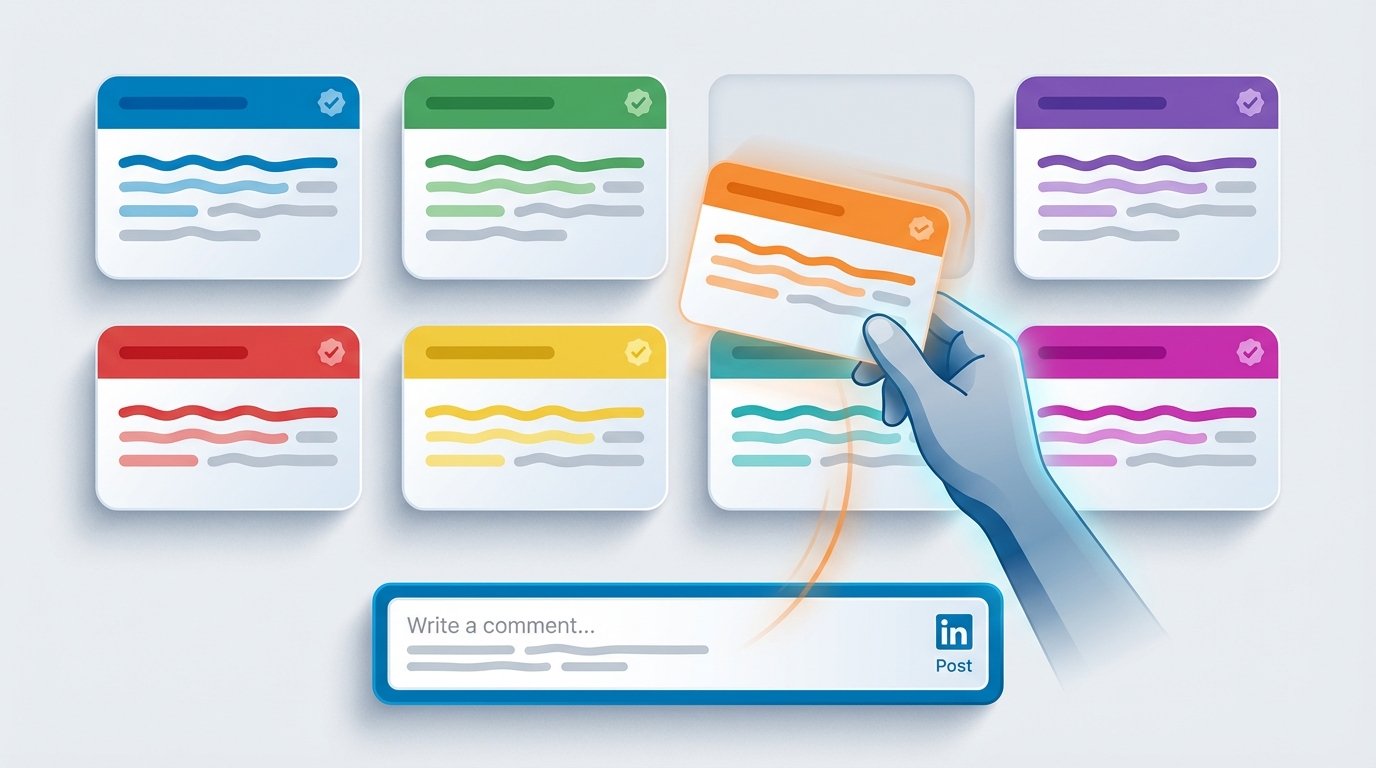
Templates get a bad reputation on LinkedIn. People associate them with the low-effort "Great post!" comments that clog every comment section. But there is a critical difference between copying a template verbatim and using a template as a structural foundation that you personalize for each post. The templates in this guide are designed for the second approach: fill-in-the-blank frameworks that give you a proven structure while leaving room for the specific details that make a comment feel genuine. Here are 30 templates across six categories, each ready to copy, customize, and post.
Introduction: Templates as Starting Points
The professionals who comment most effectively on LinkedIn are not writing every comment from scratch. They are working from mental models -- proven structures they have internalized through practice. A congratulations comment follows a different structure than a constructive disagreement. An experience-sharing response has a different rhythm than a clarifying question.
Templates make these structures explicit. Instead of staring at a blank comment box wondering how to start, you begin with a framework and focus your creative energy on the part that matters most: the specific, personal details that make the comment relevant to this particular post by this particular author.
Each template below includes bracketed placeholders where you insert post-specific details. The surrounding language provides the structure, transition phrases, and conversational flow that keep your comment engaging. For additional examples of high-performing comments in action, see our guide to 50 LinkedIn comment examples that get noticed.
How to Use Comment Templates Without Sounding Generic
Before diving into the templates, here are four rules that separate effective template usage from obvious copy-paste spam:
- Always fill in every bracket. If a template has a [specific point from the post] placeholder, you must reference an actual point from the actual post. Leaving brackets generic or filling them with vague language defeats the purpose.
- Read the post first. This sounds obvious, but templates tempt people to skim and fill in blanks. Spend 30 seconds reading the full post. Understand the author's argument. Then choose the template that fits the situation.
- Vary your templates. If you use the same template structure on every post, your commenting pattern becomes predictable. Rotate between categories. Use an insightful comment on one post, a question on the next, an experience share on the third.
- Edit the surrounding language. The template text outside the brackets is a starting point, not sacred text. Swap words, adjust sentence length, add your own phrases. The more you modify the template language to match your natural voice, the more authentic the result.
5 Insightful Comment Templates
Insightful comments demonstrate that you understood the post and can build on its ideas. They position you as a thoughtful professional who adds value to conversations.
Template 1: The Extension
Your point about [specific topic from the post] is spot on. I would add that [your additional insight or data point]. In my experience with [relevant context], the key factor that people often overlook is [overlooked factor]. Would be curious to hear your take on that angle.
Template 2: The Real-World Validation
This matches exactly what I have seen in [your industry or role]. [Specific example from the post] is particularly true when [add nuance or condition]. The companies getting this right tend to [describe what successful companies do differently].
Template 3: The Framework Connection
[Author's name], this reminds me of [related framework, concept, or book]. The parallel between [their point] and [related idea] is something more people should be talking about. Specifically, [explain the connection in one sentence].
Template 4: The Data Point
Great framing on [topic]. The data backs this up -- [cite a statistic, study, or survey result that supports their argument]. What makes this particularly relevant right now is [current trend or context that amplifies their point].
Template 5: The Pattern Observation
I have been noticing the same pattern [author's name] describes here about [topic]. Three things seem to drive it: [factor 1], [factor 2], and [factor 3]. The one that does not get enough attention is [whichever factor you find most interesting], because [brief explanation].
5 Question Templates That Spark Discussion
Questions are the most engagement-friendly comment type. They invite the author and other readers to respond, creating conversation threads that LinkedIn's algorithm rewards with extra visibility.
Template 1: The Depth Question
Really interesting take on [topic]. I am curious about one thing: when you say [quote or paraphrase a specific claim], how do you see that playing out for [specific audience or scenario]? I have seen mixed results in [your relevant context] and wonder if the approach changes depending on [variable].
Template 2: The Devil's Advocate
[Author's name], I agree with the overall premise but wonder about edge cases. What happens when [describe a scenario where their advice might not apply]? Do you think the same principles hold, or does the approach need to shift?
Template 3: The Implementation Question
Love the concept. For someone trying to implement [the strategy or tactic described], what would you say is the first step? I am specifically thinking about [your situation or audience] where [describe a constraint or challenge].
Template 4: The Comparison Question
This is a great argument for [approach A]. I have also seen strong results from [approach B]. In your experience, which tends to work better when [specific condition], and does the answer change at [different scale or context]?
Template 5: The Future-Oriented Question
Fascinating perspective on [current topic]. Where do you see this heading in the next 2 to 3 years? I have been thinking about how [emerging trend or technology] might accelerate or complicate the dynamic you are describing.
5 Experience-Sharing Templates
Experience-sharing comments are powerful because they add concrete evidence to the conversation. They also position you as someone with relevant, hands-on expertise.
Template 1: The Case Study
We ran into this exact situation at [your company or with a client]. [Brief description of the challenge]. What ended up working was [solution or approach], which resulted in [measurable outcome]. The key insight that [author's name] highlights about [specific point] was exactly the turning point for us.
Template 2: The Lesson Learned
This resonates deeply. I learned the hard way that [specific lesson related to the post]. Early in my career at [company or role], I [describe mistake or challenge]. The fix was surprisingly simple: [what you changed]. Wish I had read this post five years ago.
Template 3: The Contrasting Experience
Interesting -- my experience has been a bit different. In [your context], I found that [your observation]. It might be because [why your context differs]. Curious if others have seen variation depending on [variable like industry, company size, geography].
Template 4: The Before and After
We used to [old approach related to the post topic] and the results were [outcome]. After switching to [new approach aligned with the post's recommendation], we saw [specific improvement]. The biggest difference was [what changed most dramatically]. [Author's name]'s framework explains exactly why that shift worked.
Template 5: The Team Perspective
I shared this post with my team because we are dealing with [related challenge] right now. The point about [specific recommendation] is something we have been debating internally. Our current thinking is [your team's approach]. Would love to hear how others are handling this.
5 Congratulations Templates
Congratulations comments need to feel genuine, not performative. The key is specificity -- reference what you know about their journey, not just the achievement itself.
Template 1: The Journey Acknowledgment
Congrats, [Name]! Having followed your journey from [earlier role or achievement], this feels like a well-deserved next step. [Company] is getting someone who [specific quality or contribution]. Excited to see what you build there.
Template 2: The Impact Comment
This is great news. Your work on [specific project, initiative, or contribution] made a real impact, and it is clear that [new company or role] recognizes that. Well earned, [Name].
Template 3: The Industry Win
Congratulations! This is a big win for [industry or community] too. Having someone with your depth in [area of expertise] at [company] means [positive implication for the broader industry]. Looking forward to seeing the results.
Template 4: The Personal Touch
[Name], what incredible news! I remember when you [reference a past conversation, collaboration, or shared experience]. To see you now [achieving this milestone] is genuinely inspiring. Well deserved.
Template 5: The Forward-Looking
Huge congrats on the new role at [company]. Given your background in [area of expertise], I imagine you will be focused on [educated guess about their priorities]. That is an exciting challenge. Wishing you a strong start.
5 Constructive Disagreement Templates
Constructive disagreement is the most valuable and the most underutilized comment type on LinkedIn. When done well, it positions you as a critical thinker and generates significant engagement.
Template 1: The Respectful Reframe
[Author's name], I appreciate the take but see it slightly differently. While [acknowledge their main point], I think [alternative perspective]. The reason is [evidence or reasoning]. Both views probably have merit depending on [contextual factor]. Curious what others think.
Template 2: The Missing Variable
Thoughtful post, but I think there is a variable missing from the analysis: [missing factor]. When you account for [that factor], the picture changes because [explain how]. I have seen this play out in [your relevant experience]. Still, the core argument about [their main point] holds in many cases.
Template 3: The Data Challenge
Interesting claim about [topic]. I have seen data that suggests a more nuanced picture. [Cite or describe contradicting evidence]. That said, [acknowledge where they are right]. The truth is probably somewhere in between, and context matters a lot -- especially [relevant context].
Template 4: The Scale Consideration
This advice works well for [specific audience or situation], but I have seen it break down at [different scale, stage, or context]. When [describe the conditions], the better approach tends to be [alternative]. Not disagreeing with the core idea, just noting where the application might need to adapt.
Template 5: The Both-And
I would push back slightly on the [specific claim] part. [Author's name] is right that [part they are right about], but [where you disagree]. It is not either-or -- companies that get the best results tend to [describe the balanced approach]. The nuance matters.
5 Self-Promotion Templates That Do Not Feel Spammy
Self-promotion in LinkedIn comments is an art. Done poorly, it repels people. Done well, it creates genuine interest in your work. The key principle: the promotion must be secondary to the value. Lead with insight, and let the promotion flow naturally from your expertise. This is the same philosophy behind LinkedReply's Smart Promotion feature, which automatically weaves contextual business mentions into roughly 20% of your comments with three intensity levels: subtle, balanced, and direct.
Template 1: The Subtle Expertise Signal
This matches what we have been seeing with our [clients/customers/ users]. The shift toward [trend from the post] is real, and the companies adapting fastest are the ones that [specific insight from your work]. We have been tracking this closely and the data is compelling.
Promotion level: Subtle. No company name, no product mention. Just a signal that you work in this space and have relevant data.
Template 2: The Relevant Case Study
We ran into this exact challenge at [your company]. Our approach was [brief description]. The result: [specific metric or outcome]. The insight about [point from the post] was a key factor. Happy to share more details for anyone working through the same problem.
Promotion level: Balanced. Mentions your company and results but frames it as a helpful case study rather than a pitch.
Template 3: The Tool Reference
[Author's name], great breakdown. We built [product/feature name] specifically to address this challenge. The point about [their specific argument] is exactly why we focused on [relevant capability]. Seeing validation like this from practitioners makes the development effort feel worthwhile.
Promotion level: Direct. Names the product but ties it directly to the post's topic and validates the author's argument.
Template 4: The Content Bridge
This aligns closely with something I wrote about recently -- [describe your related content in one sentence]. The angle [author's name] takes on [specific aspect] adds a dimension I had not fully considered. Between these two perspectives, the playbook for [topic] is getting clearer.
Promotion level: Subtle. References your own content without linking to it. Creates curiosity for people to check your profile.
Template 5: The Offer to Help
We have been solving this problem for [target audience] for [time period], and the biggest mistake I see is [common mistake related to the post]. [Author's name]'s advice about [specific recommendation] fixes the root cause. If anyone in the comments is struggling with this, happy to share our framework.
Promotion level: Balanced. Establishes credibility, validates the author, and offers help without making it feel like a sales pitch.
How Do You Adapt Templates to Your Voice?
Templates are structures. Your voice is the personality that fills those structures. If you naturally write in short, punchy sentences, adapt the templates accordingly. If you tend toward longer, more analytical prose, expand the templates. The goal is to use the template's framework while making the final output sound unmistakably like you.
Here are practical ways to adapt templates to your voice:
- Replace formal language with your natural register. If you would never say "I would add that" in real life, change it to "one thing I would throw in" or whatever feels right for how you actually speak.
- Adjust sentence length. Some people write in short bursts. Others prefer compound sentences with multiple clauses. Match the template to your pattern.
- Add your signature phrases. Every professional has verbal tics and favorite expressions. "Here is the thing," "the way I see it," "in practice, this means" -- sprinkle your own phrases into the template.
- Match your emoji usage (or lack thereof). Some LinkedIn users use emojis liberally. Others never use them. The templates are emoji-free; add them if that is your style.
If manually adapting templates for every comment feels tedious, LinkedReply's Write Like Me feature automates this entire process. You provide samples of your existing writing -- past comments, posts, or messages -- and the AI builds a voice model that reflects your natural style. Every generated comment then sounds like you wrote it, with no manual adjustment needed. Learn more about how this works on the Write Like Me feature page.
Beyond Templates: Scaling Quality Comments
Templates solve the "how do I start?" problem. But as your LinkedIn commenting volume grows, the bottleneck shifts from structure to speed. Even with perfect templates, writing 20 or more high-quality comments per day requires significant time and mental energy.
This is where AI-assisted commenting becomes valuable. Tools like LinkedReply take the template concept to its logical conclusion: the AI handles the structure, the context reading, and the voice matching, while you provide the final review and approval. It is like having a highly skilled writing assistant who knows your voice, understands every post you encounter, and can draft a comment in seconds.
Whether you use the templates in this guide manually, use them as inspiration for your own commenting framework, or graduate to AI-assisted tools, the underlying principle remains the same: great LinkedIn comments follow proven structures, are personalized with specific details, and sound like a real human who actually read the post.
For more templates and strategies, explore our LinkedIn connection message templates guide, which covers the outreach that follows effective commenting.