LinkedIn commenting is the single most accessible way to build your professional visibility. You do not need followers, a content calendar, or a personal brand to start. You just need the ability to write a thoughtful response to someone else’s post. Yet most professionals either skip commenting entirely or do it so poorly that their comments go unnoticed. This guide covers everything from the mechanics of posting a comment to the strategies that make your comments stand out and generate real professional results.
LinkedIn Commenting Basics Everyone Should Know
Before diving into strategy, a few fundamentals that many users overlook.
Comments are public. When you comment on a public post, your comment is visible to everyone who can see that post, not just your connections. This means a comment on a viral post can expose your name and expertise to thousands or millions of professionals.
Comments are tied to your profile. Your name, headline, and profile photo appear next to every comment. This is free real estate for your professional brand. Make sure your headline communicates what you do and who you help, because every comment you post advertises it.
Comments affect the algorithm. When you comment on someone’s post, you signal to LinkedIn that the content is worth engaging with. This helps the post reach more people, which in turn gives your comment more visibility. It is a mutually beneficial dynamic.
Comments persist. Unlike ephemeral stories or chat messages, LinkedIn comments remain visible indefinitely. A comment you post today can generate profile views weeks or months later if the post continues to receive traffic.
Comments build relationships. When you consistently comment on someone’s posts with thoughtful contributions, they notice. This builds familiarity and trust, often leading to connections, collaborations, and business conversations that would never happen through cold outreach.
How to Comment on a LinkedIn Post (Step by Step)
For those new to LinkedIn or unfamiliar with all the commenting features, here is a complete walkthrough.
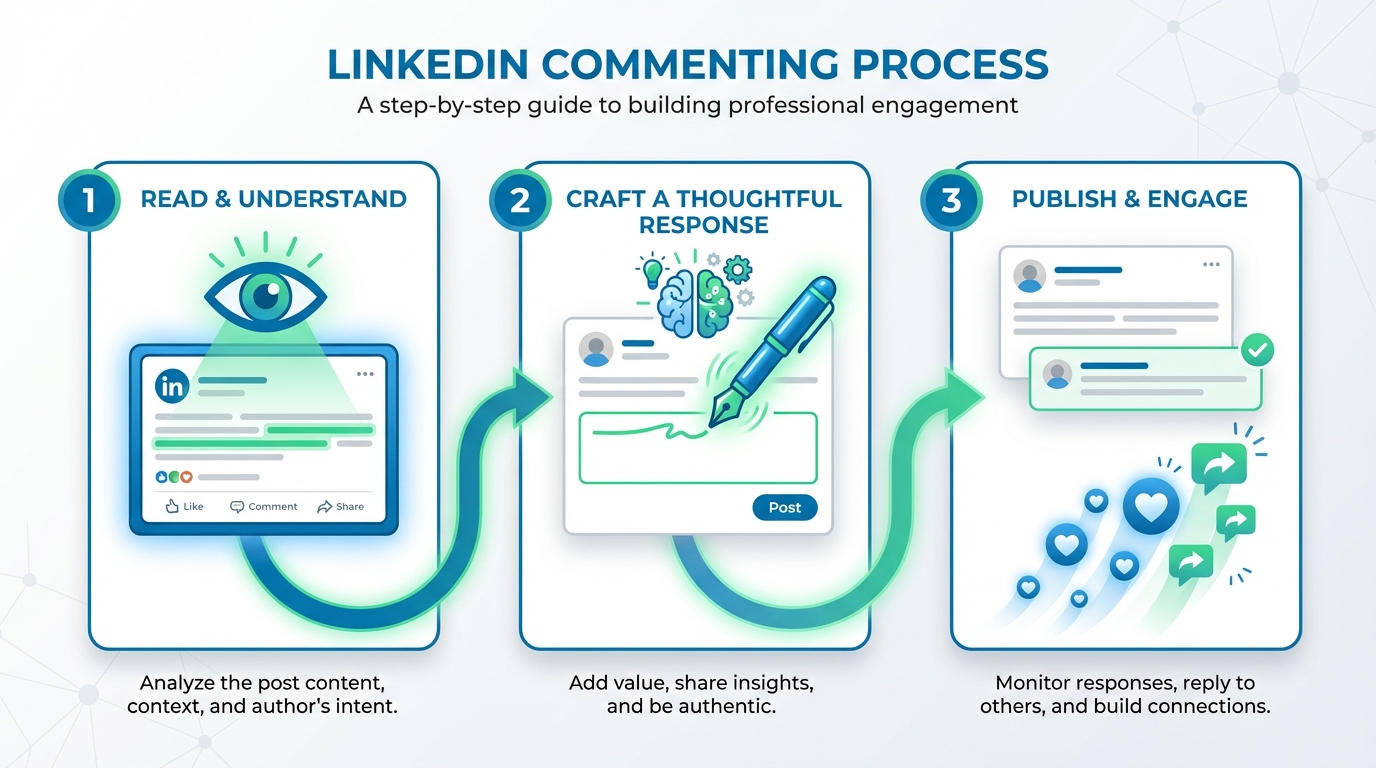
Step 1: Find the post. You can find posts to comment on in your LinkedIn feed, through search, by visiting someone’s profile, or through hashtag feeds. The feed is the most common source, but actively searching for posts on specific topics lets you engage with content most relevant to your expertise.
Step 2: Read the full post. Before commenting, read the entire post including any images, documents, or linked content. Many commenters skim the first few lines and write a response based on the headline alone. This leads to comments that miss the point or repeat something the author already addressed in the body of the post.
Step 3: Scan existing comments. Before writing your comment, quickly review what others have said. If ten people have already made the same point you were planning to make, either build on their observation or take a different angle. A comment that adds a perspective not yet represented in the thread is far more valuable than a redundant one.
Step 4: Write your comment. Click the comment box below the post. You will see a text field with your profile photo. Write your comment here. You can format your comment with line breaks (press Enter) to improve readability. While LinkedIn comments do not support bold or italic formatting, paragraph breaks make longer comments much easier to read.
Step 5: Enhance your comment (optional). You can add an image by clicking the camera icon, which is useful for sharing relevant screenshots or data. You can tag other users by typing the @ symbol followed by their name. Tagging the post author is unnecessary (they are already notified), but tagging someone else who might find the discussion valuable is a thoughtful touch.
Step 6: Review and post. Read your comment one more time before posting. Check for typos, clarity, and tone. Ask yourself: does this add something that was not already in the post or existing comments? If yes, hit Post. If no, revise or reconsider.
What Makes a Good LinkedIn Comment?
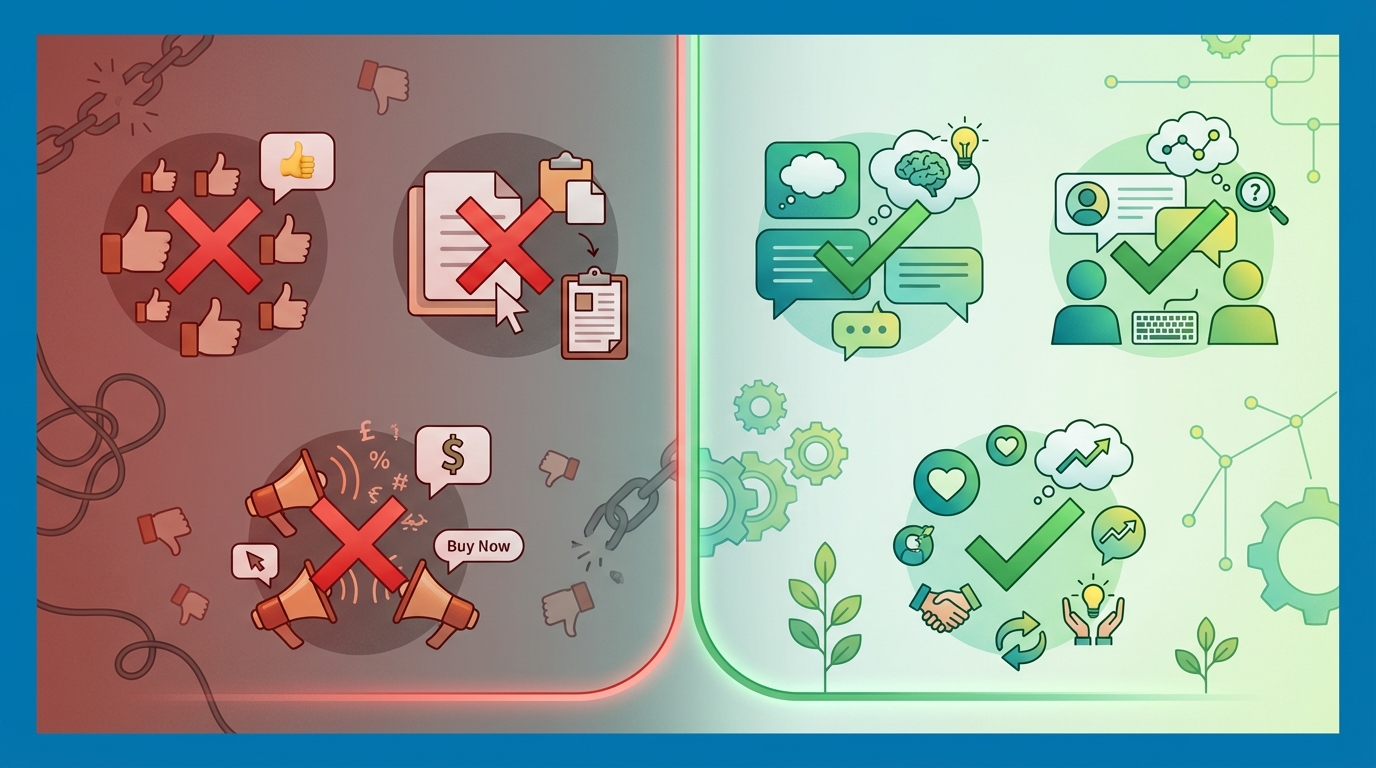
A good LinkedIn comment shares three characteristics: it adds value, it demonstrates expertise or perspective, and it invites further conversation.
Structure. The most effective comments follow a simple structure: start with a direct reaction to a specific point in the post, add your unique perspective or experience, and optionally close with a question or forward-looking thought. This structure works because it shows you engaged with the content, contributed something new, and opened the door for dialogue.
Length. Aim for 30 to 100 words. Shorter comments like “Great post!” or “Thanks for sharing!” add no value and are essentially invisible. Extremely long comments (200+ words) risk losing the reader before your key point lands. The sweet spot is two to four focused sentences. If you find yourself writing more than four sentences, you may have a post of your own to write.
Tone. Match the tone of the post. A serious post about industry challenges calls for a thoughtful, measured response. A lighthearted post about work-life balance can accommodate more casual language and humor. The worst mismatch is a corporate, buzzword-heavy comment on a personal, vulnerable post.
Specificity. Reference specific points from the post by number, name, or direct quote. “Your point about retention being a growth strategy, not just a defensive metric, really reframes the conversation” is dramatically more engaging than “Interesting points about retention.” Specificity proves you read the post and shows the author that their content resonated.
For concrete examples across different post types, see our collection of 50 LinkedIn comment examples that get noticed.
7 Types of LinkedIn Comments and When to Use Each
Not every comment should follow the same approach. The best commenters adapt their style to the post type and context.
1. The value-add comment. You share a piece of information, data point, or resource that supplements the original post. This is the gold standard for LinkedIn comments. Example: “To add to your point about email deliverability, Google updated their sender requirements in January 2026 and now requires DMARC enforcement at p=quarantine minimum. This is catching a lot of companies off guard.” Use this when you have genuine expertise or information that extends the conversation.
2. The experience-sharing comment. You relate the post topic to something you have personally experienced. This adds a real-world dimension to the discussion. Example: “We tried this exact approach last year when scaling our SDR team. The 30-day ramp metric is achievable, but only if you separate product training from sales skills training. Trying to do both simultaneously doubled our ramp time.” Use this when your experience provides a useful case study or cautionary tale.
3. The respectful disagreement. You challenge a point in the post with reasoning and evidence. This drives the richest conversations. Example: “Interesting perspective, but I have seen the opposite in practice. The companies that invest heavily in outbound during a downturn consistently outperform those that cut back, at least in the B2B SaaS segment. The competition for attention drops, making each outreach more effective.” Use this when you genuinely disagree and can articulate why.
4. The question comment. You ask a genuine, thoughtful question that advances the discussion. Example: “How do you handle the attribution challenge here? In our experience, the biggest pushback from leadership on this strategy is the difficulty of proving ROI within a single quarter.” Use this when the post raises an issue you genuinely want explored further.
5. The appreciation comment. You acknowledge the effort, courage, or insight behind the post. This goes beyond “Great post!” by being specific about what you appreciate. Example: “This took courage to share. The specific revenue numbers and the honest admission about what did not work are exactly what makes this post valuable. Most people only share the highlight reel.” Use this for posts that are genuinely vulnerable, transparent, or exceptionally well-crafted.
6. The bridge comment. You connect the post topic to a related but different area that adds dimension to the discussion. Example: “This connects to something interesting happening in the compliance space. The SEC is starting to treat AI-generated financial content under the same advisor regulations as human-written content. That will change the risk calculus for financial firms using the approach you describe.” Use this when you can make a non-obvious connection that enriches the conversation.
7. The social proof comment. You validate the post’s claims with your own data or experience. Example: “Can confirm these numbers. We track similar metrics across our 200+ client accounts and the engagement lift from comment-first strategies is consistently in the 3-5x range. The ROI becomes undeniable after 90 days of consistent execution.” Use this when you have data or experience that corroborates the post author’s claims.
LinkedIn Comment Etiquette: The Unwritten Rules
LinkedIn has a specific culture around commenting that differs from other platforms. Violating these norms may not get you banned, but it will reduce the effectiveness of your engagement.
Do not sell in comments (usually). Unless the post specifically asks for product recommendations, keep overt sales pitches out of comments. You can reference your expertise, share results you have achieved, and mention your company in context, but direct “buy my product” messages are almost universally received negatively. There is a time and place for promotion, and understanding the nuance is important. For guidance, see our piece on avoiding common LinkedIn commenting mistakes.
Respond to replies on your comments. If someone replies to your comment, respond. LinkedIn commenting is a conversation, not a broadcast. Ignoring replies signals that you were not genuinely engaged and were just posting for visibility.
Do not hijack the thread. Your comment should contribute to the discussion the post author started, not redirect it to your own agenda. If your comment requires the reader to forget the original post and focus entirely on your topic, it belongs as its own post.
Give credit where due. If you are building on someone else’s comment in the thread, reference them. Tag them or mention their point specifically. This shows you are engaging with the full conversation, not just the original post.
Be genuine with disagreement. LinkedIn is not Twitter. Aggressive, dismissive, or personal disagreements are poorly received. Disagree with the idea, not the person. Use phrases like “I have seen it work differently” rather than “You are wrong about this.”
Do not comment on sensitive posts with promotion.Posts about layoffs, personal loss, health struggles, or similar sensitive topics should receive empathetic, human responses only. Mentioning your business on these posts, even indirectly, is considered extremely poor taste.
Proofread. Typos and grammatical errors undermine your professional credibility. A quick re-read before posting takes five seconds and prevents embarrassing mistakes that persist publicly.
How to Reply to Comments on Your Own Posts
If you create LinkedIn posts, how you respond to comments is just as important as how you comment on others’ posts.
Reply to every comment. Yes, every one. Even if it is a simple “Thanks for reading!” on a less substantive comment, the reply signals engagement. For comments that ask questions or share insights, write substantive replies. Each reply adds another comment to your thread, which boosts the post’s algorithmic ranking.
Reply quickly. The first hour after posting is the critical window for algorithmic performance. Comments and replies during this period signal to LinkedIn that your content is generating conversation, which triggers broader distribution. Try to respond to early comments within 15 to 30 minutes.
Ask follow-up questions. When someone shares an interesting experience or perspective in a comment, ask them to elaborate. “That is a great point about attribution. What tools or framework are you using to track that?” Follow-up questions generate longer threads, show genuine interest, and often surface insights that improve the overall discussion.
Add new information in replies. Your replies are an opportunity to share additional context that did not fit in the original post. Think of the comment section as an extension of your post. Each reply can add a new data point, example, or nuance.
Tag relevant people. If a comment touches on something that a specific person in your network could address well, tag them. This pulls new voices into the conversation and demonstrates that you are focused on creating value, not just accumulating reactions.
Using AI to Write Better LinkedIn Comments
AI commenting tools have matured significantly. When used correctly, they do not replace your voice. They amplify it.
The case for AI assistance. Writing a genuinely good LinkedIn comment takes 3 to 5 minutes. If you aim for 10 comments per day (a reasonable target for active engagement), that is 30 to 50 minutes daily. For busy professionals, this time investment is often the barrier that prevents consistent commenting. AI reduces the drafting time to under a minute per comment, making consistent engagement sustainable.
What good AI tools do. The best AI commenting tools analyze the post content, generate a relevant response that adds value, match your personal writing style, and let you review and customize before posting. They handle the cognitive heavy lifting of formulating a response while leaving the final decision and personal touch to you.
What to look for. Not all AI commenting tools are equal. The key features that separate effective tools from mediocre ones include: voice matching (the AI learns how you write), post type detection (different comment styles for different post types), anti-AI detection measures (so your comments do not read as obviously AI-generated), and integration directly into LinkedIn (so you do not need to copy-paste between tabs).
The human-in-the-loop approach. The most effective workflow uses AI as a starting point, not a finished product. Generate a draft, read it, add your personal perspective or experience, adjust the phrasing to match your natural voice, and then post. This approach combines the speed of AI with the authenticity of human input.
LinkedReply is built specifically for this workflow. It generates comments directly on LinkedIn posts, matches your voice with Write Like Me, and includes features like Business Profile for contextual expertise mentions. You can start with 10 free comments to experience the difference. See how it works for a complete walkthrough.
Start today. You do not need a strategy, a content calendar, or a following to begin. Open LinkedIn, find a post in your area of expertise, and write a comment that adds something the post did not say. That is all it takes to begin building visibility, authority, and professional relationships through the most underused feature on the platform.