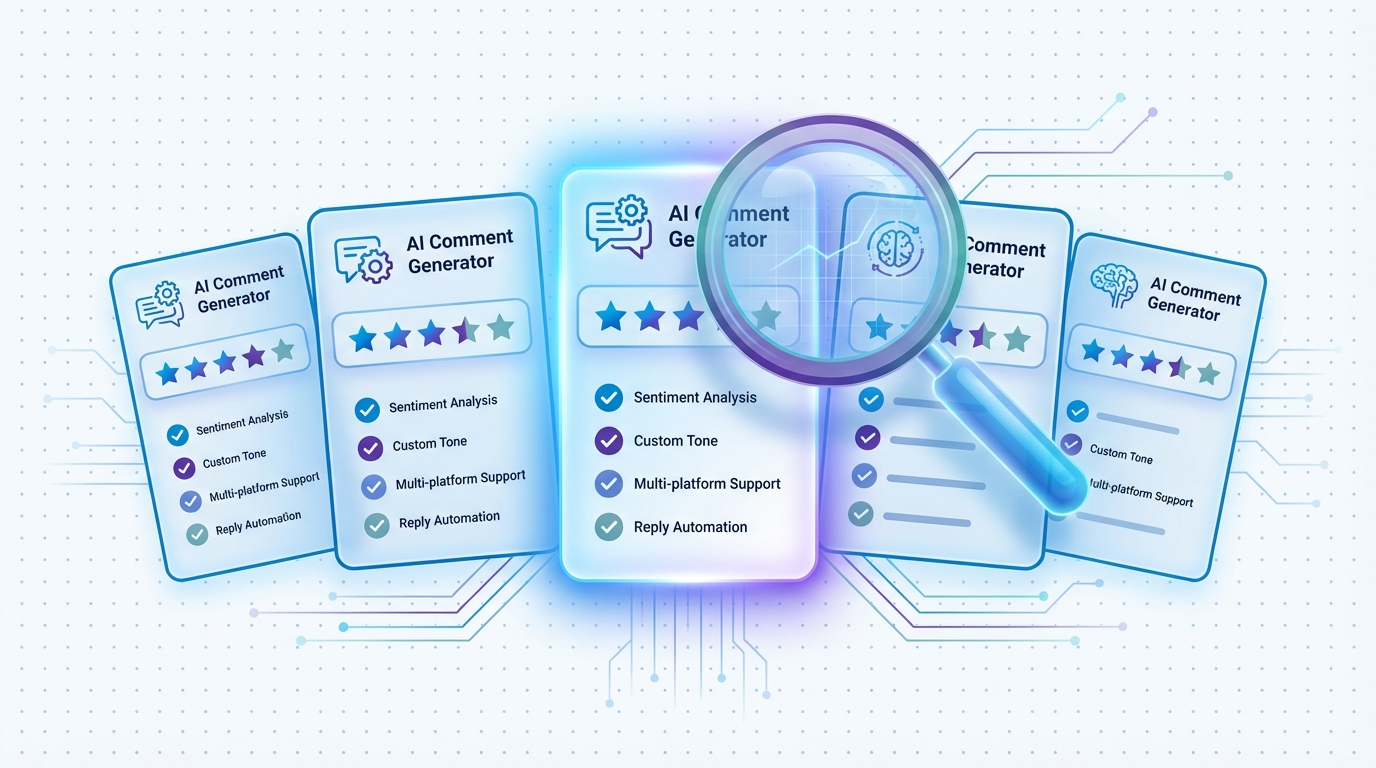
If you are looking for a free AI LinkedIn comment generator, you are not alone. The demand for AI-assisted LinkedIn engagement has surged in 2026, and professionals at every level want to try these tools before committing to a paid plan. The good news is that several legitimate free options exist. The important context is understanding what “free” actually means in this space — what you get, what you give up, and when upgrading makes financial sense.
We tested every free AI LinkedIn comment generator we could find, evaluating comment quality, feature access, daily and monthly limits, privacy practices, and the upgrade path to paid plans. This guide gives you an honest assessment of each option so you can choose the right tool for your situation.
The Landscape of Free AI LinkedIn Comment Generators in 2026
The market for AI LinkedIn commenting tools has matured significantly. In early 2024, there were perhaps three or four options. By 2026, there are dozens of tools claiming to help you generate LinkedIn comments with AI. But the free options fall into distinct categories that are worth understanding before you start installing extensions.
Permanent free tiers. These are tools that offer a limited but indefinite free plan. You can use them forever without paying, though you are restricted in how many comments you can generate and which features you can access. LinkedReply, Engage AI, FlyEngage AI, and WiseReply all fall into this category.
Free trials. These are tools that give you temporary full access, typically for 7-14 days, then require payment to continue. Taplio and some newer entrants use this model. Free trials are useful for evaluating premium features, but they are not a long-term free solution.
General-purpose AI tools. ChatGPT, Claude, and Gemini can all generate LinkedIn comments when prompted correctly. They are free or low-cost but require a manual workflow that is significantly less efficient than a dedicated Chrome extension.
Questionable free tools. Some tools offer generous free plans with no obvious business model. These often monetize through data collection, selling your LinkedIn activity patterns to third parties. We excluded these from our recommendations. If you are not paying for the product, you may be the product.
For a comprehensive look at both free and paid options, see our rankings of the best AI Chrome extensions for LinkedIn and the best LinkedIn comment generators.
What “Free” Really Means: Understanding the Trade-Offs
Running an AI comment generator is not free for the company building it. Every comment generated requires a call to a large language model, which costs money in compute resources. When a company offers a free tier, it is absorbing that cost in exchange for something. Understanding what that something is helps you make an informed decision.
Legitimate free tiers from established tools like LinkedReply exist as an acquisition strategy. The company absorbs the cost of your 10 free comments per month because a percentage of free users eventually upgrade to paid plans. Your data is not sold. Your LinkedIn activity is not tracked beyond what the tool needs to function. The free tier is a permanent loss-leader designed to demonstrate value.
Data-monetized free tools offer more generous free plans but collect and sell your usage data. This can include the types of posts you engage with, the content of your comments, your LinkedIn network patterns, and your engagement timing. This data is valuable to recruiters, marketers, and competitive intelligence firms. If a free tool offers unlimited comments with no paid plan, this is the most likely business model.
Venture-subsidized free tools are startups burning through investor funding to acquire users before introducing pricing. The risk here is that the tool may disappear, change its terms dramatically, or introduce aggressive pricing once the free period ends.
The safest free tools are those from companies with a clear, existing paid business model. When the free tier is an intentional part of a freemium strategy, your interests and the company's interests are aligned: they want you to love the free experience enough to upgrade.
LinkedReply Free Tier — Best Free Option Overall
Free allowance: 10 AI-generated comments per month.
LinkedReply's free tier stands out for one critical reason: it does not water down the AI quality. The same AI model and generation pipeline that power the $49/month Pro plan generate your 10 free comments. You are getting a genuine taste of the full product, not a degraded version designed to frustrate you into upgrading.
What you get on the free tier. Core AI comment generation with post content analysis. Post type detection that adjusts comment style based on the post format. Access to the Chrome extension with in-feed generation. Multiple comment types so you can choose the approach that fits the post. The ability to review, edit, and refine comments before posting.
What you do not get on the free tier. Write Like Me voice matching (requires Pro plan). Business Profile and Smart Promotion (requires Pro plan). Anti-AI detection enhancements (requires Pro plan). Connection message generation (requires Pro plan). The 10-comment monthly limit.
Why it is the best free option. The core AI quality is unmatched. Even without Write Like Me or Smart Promotion, the base comment generation produces more contextually relevant, substantive, and natural-sounding comments than any other free tool we tested. The post type detection means your comments are appropriate for the specific post you are commenting on, whether it is a thought leadership piece, a job announcement, or a personal story.
The upgrade path. When you are ready for more volume or premium features, the Pro plan at $49/month unlocks 500 comments, Write Like Me, Smart Promotion, and anti-AI detection. See the full pricing page for plan details.
Who should use it. Anyone who wants to test AI comment generation before committing financially. Professionals who comment on LinkedIn occasionally (2-3 times per week) and want AI assistance for those interactions. Users who want to compare quality across different tools before choosing one.
Other Free AI Comment Generators Worth Trying
While LinkedReply offers the highest comment quality on a free tier, several other tools provide functional free options that are worth considering depending on your needs.
Engage AI Free Tier. Engage AI provides a limited number of free comments per day. The exact limit varies but typically allows 3-5 comments daily. Comments are generated in multiple tones (friendly, insightful, funny, question-based). Quality is adequate for basic engagement but lacks the depth and contextual awareness of LinkedReply. No voice matching, no business promotion, and limited post type awareness. The free tier is functional for basic daily commenting if quantity matters more than quality. For a detailed comparison, see LinkedReply vs Engage AI.
FlyEngage AI Free Tier. FlyEngage AI offers a daily limit of free comment generations. The tool emphasizes speed, with very fast generation times and a lightweight interface. Comments tend to be shorter than LinkedReply or Engage AI, making them suitable for quick acknowledgments but less effective for in-depth thought leadership comments. No advanced features on the free tier.
WiseReply Free Tier. WiseReply provides basic free comment generation with the simplest interface of any tool on this list. If you find other extensions overwhelming, WiseReply's minimalist approach may appeal to you. Comment quality is acceptable but generic. No personalization or business features.
Commenter.ai Free Tier. Commenter.ai offers limited daily generations on its free plan with several tone presets. Comment quality sits in the middle of the pack. The interface is clean and the generation is responsive. No voice learning or promotion features.
PowerIn Free Tier. PowerIn's free tier includes basic comment generation plus limited engagement analytics. The analytics component is what distinguishes PowerIn: even on the free tier, you get some visibility into which posts are worth engaging with. Comment quality is decent but not exceptional.
Free Tier Comparison Table
Here is a direct comparison of what each tool offers on its free plan.
| Tool | Free Allowance | Comment Quality | Voice Matching | Post Type Detection | Permanent Free? | Entry Paid Plan |
|---|---|---|---|---|---|---|
| LinkedReply | 10 comments/month | Excellent | Paid only | Yes | Yes | $49/mo (500 comments) |
| Engage AI | ~3-5 comments/day | Adequate | No | Limited | Yes | ~$30/mo |
| FlyEngage AI | Limited daily | Good (shorter) | No | No | Yes | ~$19/mo |
| WiseReply | Limited daily | Basic | No | No | Yes | ~$15/mo |
| Commenter.ai | Limited daily | Good | No | No | Yes | ~$29/mo |
| PowerIn | Limited daily | Decent | No | Basic | Yes | ~$39/mo |
| ChatGPT | Unlimited (manual) | Variable | Manual prompting | No | Yes | $20/mo (Plus) |
| Taplio | None (7-day trial) | Adequate | No | No | No | $49/mo |
A few patterns emerge from this comparison. LinkedReply offers the highest comment quality on a free tier, though its monthly limit of 10 comments is lower than the daily allowances of some competitors. Engage AI provides more daily volume on its free tier but at lower quality. ChatGPT offers unlimited free generation but requires a manual workflow that costs significant time. Only Taplio offers no permanent free option at all.
The ChatGPT Manual Approach: Free but Costly in Time
Many professionals first discover AI commenting through ChatGPT. It makes sense: you already use it for other tasks, it is free, and it can generate LinkedIn comments when prompted. But the workflow differences between ChatGPT and a dedicated Chrome extension are substantial.
The ChatGPT workflow. Open the LinkedIn post you want to comment on. Select and copy the post text. Switch to your ChatGPT tab. Write a prompt that includes the post text, your desired tone, any context about your expertise, and instructions for the comment style. Wait for generation. Read and evaluate the output. Copy the comment. Switch back to LinkedIn. Paste the comment. Review and edit if needed. Post.
The dedicated extension workflow. Open the LinkedIn post. Click the extension button. Review the generated comment. Edit if desired. Post.
In our testing, the ChatGPT workflow takes 2-3 minutes per comment. The dedicated extension workflow takes 15-30 seconds. At 10 comments per day, ChatGPT costs you 20-30 extra minutes daily. At 15 comments per day, you are spending 30-45 minutes on workflow overhead that a $49/month tool eliminates entirely.
Beyond time, ChatGPT lacks several LinkedIn-specific capabilities. It cannot detect the post type automatically. It does not learn your writing voice across sessions (unless you include writing samples in every prompt). It cannot integrate your business profile into comments. It has no anti-AI detection measures tuned for LinkedIn's specific detection patterns. And it requires you to break your LinkedIn workflow to use it, which adds cognitive friction that compounds over time.
ChatGPT is a reasonable choice for users who comment 2-3 times per week and do not mind the manual process. For anyone commenting daily, the time cost makes it effectively more expensive than a paid dedicated tool when you factor in the value of your time. For an in-depth comparison, see our AI LinkedIn comment generator guide.
Free vs Paid: What You Actually Give Up
Understanding the specific features you miss on free tiers helps you make an informed decision about whether to upgrade. Using LinkedReply as the reference since it offers the most feature-rich paid plans, here is what the free tier lacks compared to the Pro plan at $49/month.
Write Like Me voice matching. This is the most impactful premium feature. Without it, comments are generated in a generic professional tone. With it, comments match your personal vocabulary, sentence structure, and communication style. In blind tests, colleagues could not distinguish Write Like Me comments from manually written ones. This feature alone transforms AI commenting from “useful assistance” to “authentic engagement at scale.”
Business Profile and Smart Promotion. Without this, your comments add value to conversations but do not strategically promote your business. With it, approximately 20% of your comments naturally mention your expertise, products, or services when contextually appropriate. For professionals who use LinkedIn for lead generation, this is the difference between brand-building and revenue-driving.
Anti-AI detection. Free tier comments are generated by the same AI model but without the additional processing that varies comment structure, avoids AI tell-tale patterns, and ensures your comments pass both human and algorithmic detection. As AI commenting becomes more common on LinkedIn, detection sophistication increases. The anti-AI detection layer becomes more valuable over time, not less.
Volume. 10 comments per month versus 500 on the Pro plan. For context, most LinkedIn engagement strategies recommend 10-15 comments per day. The free tier covers roughly one day of commenting per month. The Pro plan covers approximately one month of daily commenting.
Connection messages. The Pro plan includes personalized connection request message generation, a natural complement to commenting. After engaging with someone's content through comments, the next step is often a connection request.
The quality gap between free and paid is not about basic functionality. Free tier comments are genuinely useful and higher quality than most competitors' paid offerings. The gap is about personalization, strategic utility, and the features that turn commenting from a time investment into a business investment.
When Free Is No Longer Enough
The transition from free to paid should be driven by clear signals, not by marketing pressure. Here are the specific indicators that it is time to upgrade.
You consistently hit your free limit. If you use all 10 free comments within the first week of the month and wish you had more, the tool is clearly providing value and the paid plan is the logical next step.
You are editing every comment extensively. If you find yourself rewriting 50% or more of each generated comment to match your voice, Write Like Me will save you significant time by generating comments that already sound like you.
You are using LinkedIn for business development. If your LinkedIn commenting is part of a sales, consulting, or business growth strategy, Smart Promotion transforms commenting from a brand-building activity into a lead generation channel. One qualified lead generated through strategic commenting can justify months of subscription cost.
Your comments are getting flagged or ignored. If people are responding to your comments with skepticism or LinkedIn's algorithm seems to be deprioritizing your comments, the anti-AI detection features of a paid plan help ensure your comments read as authentically human.
Your LinkedIn engagement is generating measurable results. If your commenting activity is driving profile views, connection requests, or inbound messages, scaling up with a paid plan amplifies those results proportionally. LinkedIn engagement compounds: more quality comments lead to more visibility, which leads to more profile visits, which leads to more business opportunities.
The ROI calculation. A $49/month Pro plan with 500 comments works out to approximately $0.10 per comment. If each comment generates even a small amount of incremental visibility, the cost per impression is extraordinarily low compared to LinkedIn ads ($5-$15 per click), cold outreach tools ($100-$300 per month), or the opportunity cost of spending an hour per day writing comments manually. For professionals whose time is worth $50/hour or more, the tool pays for itself in time savings alone within the first week.
The best approach is to start free, establish that the comment quality meets your standards, and upgrade when the value is obvious. LinkedReply's free tier is designed to demonstrate quality, not to frustrate you into paying. Ten comments is enough to evaluate the AI across different post types and decide whether the output matches your expectations. Visit the pricing page to compare plans.
For users ready to explore the full range of AI LinkedIn tools, our best AI Chrome extensions for LinkedIn guide covers both free and paid options across every category. And for a broader understanding of the technology powering these tools, see our AI LinkedIn comment generator guide. Ready to try it yourself? Install LinkedReply free and generate your first AI-assisted comments today.